
Writing Tools
Explore the best new Writing tools and products curated by the community.
Marked is a powerful markdown preview and converter. It supports HTML, PDF, DOCX, EPUB, and more, along with writing and analysis tools, custom style builder, and much more.

Aviquill is a writing-first infinite canvas for visual thinkers who feel constrained by rigid note-taking apps. Create layered spaces for projects, ideas, research, and creative work — without forcing everything into folders, pages, or linear structure. Designed to make organizing thoughts feel calmer, more flexible, and more natural.

Willow Scribe lets you speak the gist of what you want to say and writes the full message for you in your own voice. You talk the way you actually think and a finished message comes out the other side, ready to send. It works inside the apps where you already write the most like email, Slack, iMessage, and Google Docs. You can also highlight any text on your screen, tell Willow how to change it, and the selection gets rewritten in place. The more you use it, the more it sounds like you.
Kosshi is a simple native outliner for macOS and iOS. Fast and focused outline editing.
note.md is a private, local-first markdown based workspace for macOS built for focused writing, research, and structured thought.

Scattered ideas? Kraft turns them into finished long-form writing. Kraft is LayerProof’s long-form AI co-writer for people who think deeply but freeze at the blank page. Drop in your idea, choose your angle, and Kraft drafts in your voice, then turns it into platform-ready posts.
Shadow is the AI interface for your Mac. It sees your screen, hears your voice, and runs the prompts you build — on a keyboard shortcut, or in your meetings. 🪄 Skills do the work. Quick Reply drafts emails from what you say and what’s on screen. Voice Typing turns talking into clean text, anywhere. Meeting Skills capture every word and screen, then deliver notes and follow-ups the moment you hang up. Build your own — every Skill is a prompt, a context, and an output.

✨Magic Notebook✨ is a calm writing app for people who just want to write. No clutter. No complex systems. No AI. • Just open the app and start typing — no setup, no learning curve • Write in a familiar way, with full support for DOCX • Add images and tables without breaking your flow • Your files stay on your device — no lock-in, no forced cloud Built for writers, journalists, and anyone who wants a simple, focused writing experience — without technical overhead.

A floating macOS menu-bar app that polishes typos, punctuation, and grammar with Apple's on-device Foundation Models. Optional cloud via your own Claude or OpenAI key.
A beautiful note taking app with superpowers. It shows and hides on the side of your monitor to manage your notes distraction-free. Keep your notes organised, personalised and always at your fingertips. Markdown, tasks, pictures, colors, folders included.
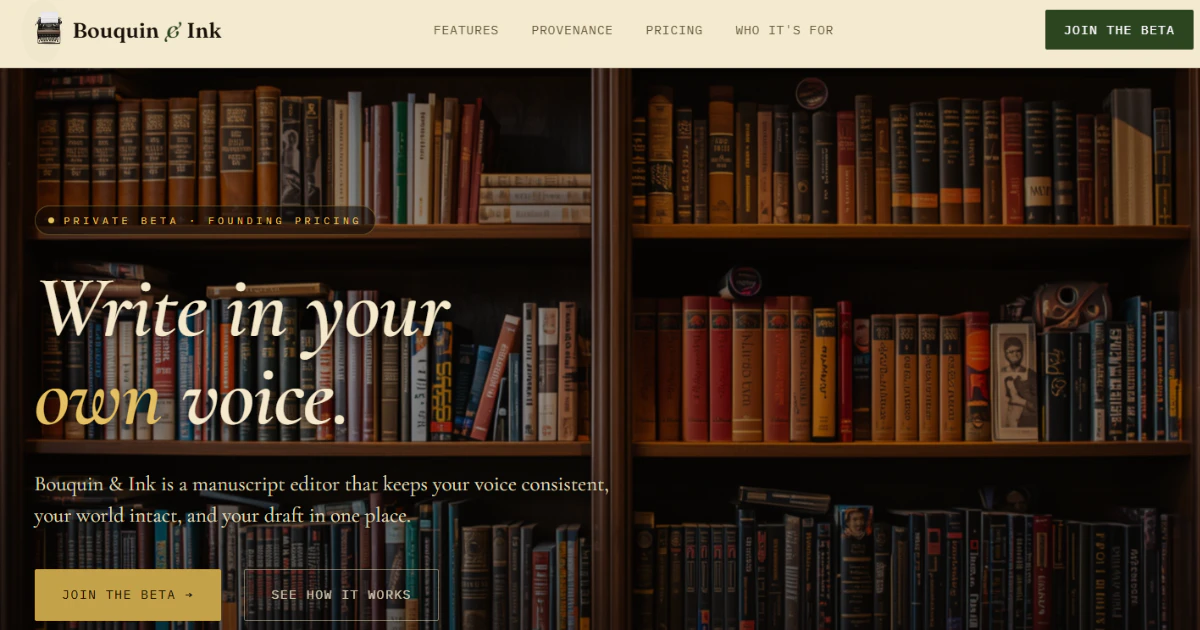
Bouquin & Ink is a manuscript editor built for writers. Voice preservation, continuity tracking, immersive writing themes, and voice verification provenance— write in your own voice.

HeyNews learns from your newsletter archive, monitors your sources, and generates publish-ready drafts in your voice. Native Beehiiv & Kit; archive imports from Substack or any newsletter with a public archive. 14-day trial, plans from $99/mo. PH50 → 50% off 12 months.
RankSpot is your fully automated AI agent that researches, writes, and publishes SEO articles to your blog daily - getting you cited in AI answers and ranked on Google.

LikeTony rewrites your entire landing page in the voice of people your customers already trust — in seconds. Drop a URL. Pick a voice. Get a copy that actually converts. Free of charge.

Your personal AI ghostwriter that writes, schedules, and publishes posts on LinkedIn and X – so you never run out of content to share.

Switching between AI tools and Word kills momentum. Genspark embeds drafting, editing, research, and formatting directly inside Word for writers, analysts, and office workers.

Quarkdown is a modern, fast, Markdown-based typesetting system to create papers, presentations, knowledge bases and websites. Write in the markup language you're already familiar with for a flat learning curve, but juice it up with powerful extensions for full control over your documents, and live preview to enter flow state faster. Quarkdown runs on VS Code or your terminal.
You can now use Plannotator to annotate anything! Free, open source, and private (runs local). Use the skill `/plannotator-annotate` (or cli) - followed by a folder, URL, document, markdown, your book, a recipe, a plan, etc - to annotate anything and send feedback directly into your integrated agent. Use `/plannotator-last` to annotate the last message an agent sent you too. I like using it for my own version of Karpathy’s "LLM Wiki" in obsidian. https://github.com/backnotprop/plannotator
You can now use Plannotator to annotate anything! Free, open source, and private (runs local). Use the skill `/plannotator-annotate` (or cli) - followed by a folder, URL, document, markdown, your book, a recipe, a plan, etc - to annotate anything and send feedback directly into your integrated agent. Use `/plannotator-last` to annotate the last message an agent sent you too. I like using it for my own version of Karpathy’s "LLM Wiki" in obsidian. https://github.com/backnotprop/plannotator
Edit and view markdown text as if you were in Notion, while keeping the simplicity and portability of Markdown: blocks, selection, drag and drop, tables, inline formatting, and a WYSIWYG editing experience that lets you focus on writing instead of fighting syntax.
Speakmac is private voice typing for Mac that works anywhere. Dictate with live preview, hands-free mode, custom words, multilingual packs, and audio-file transcription. It runs locally, feels fast, and gives Mac users a one-time purchase instead of another subscription.